The Tool Fatigue Problem Nobody Talks About
Every quarter a new "game-changing" tool drops. Every quarter developers and product teams are told to adopt it, learn it, and rebuild their mental models around it. And every quarter, most of those tools quietly die in a forgotten browser tab.
The reason is simple: users don't want more tools — they want their existing tools to work better.
This is the core argument behind the growing push for Quiet AI — invisible, context-aware assistance that lives inside the apps people already use, rather than demanding a new tab, a new login, and a new learning curve.
If you've been following the broader shift in how frameworks and platforms are being re-evaluated for real-world value, this is the same pattern playing out one layer up the stack — see our breakdown in Beyond the Framework Hype: Key Takeaways from a 2025 Dev Summit.
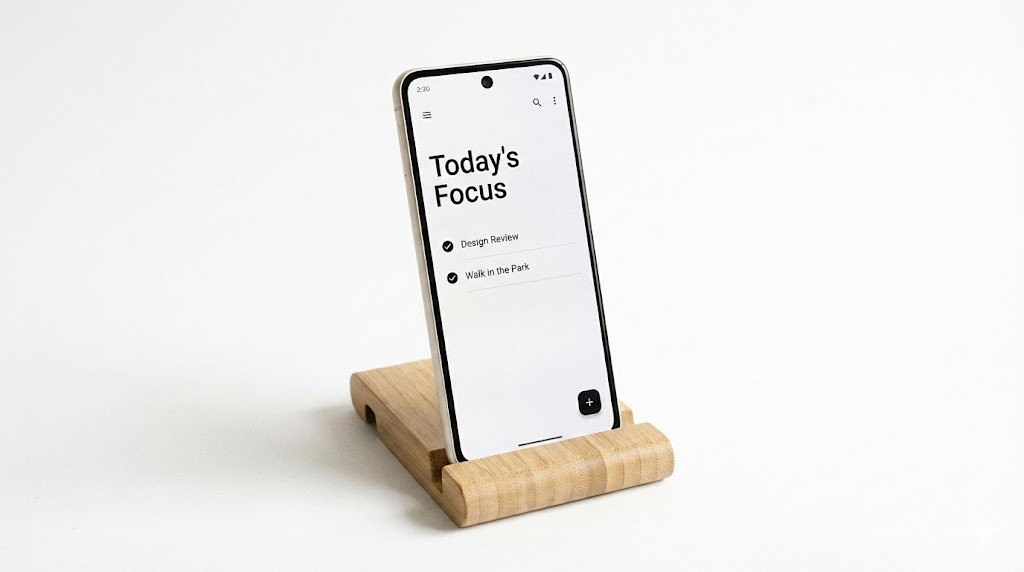
AI-First vs. Quiet AI: A Mental Model Comparison
The "AI-first" label has been slapped on everything from note apps to CRMs. But AI-first often means the product is designed around the AI's capabilities, not the user's existing workflow. That's backwards.
Quiet AI flips the framing:
- AI-first: "Here's a chat box. Now figure out how to fit your job into it."
- Quiet AI: "You're already editing this invoice. I'll rename it, categorize it, and file it — you keep working."
A textbook example is the integration of assistants like Claude directly into Microsoft Excel, PowerPoint, and Word. The user never leaves the document. The AI is scoped to the task at hand, not a separate destination.
The Design Principle
Deliver value inside the user's existing mental model, not alongside it.
This is why "Quiet AI" isn't a feature — it's an architectural stance. Every integration decision should ask: does this reduce context-switching, or add to it?
If you're also tracking how AI is reshaping performance-critical pipelines at the hardware level, our deep dive on NVIDIA DLSS 4.5 and dynamic frame generation shows the same philosophy applied to rendering: intelligence that disappears into the pipeline.

Folder Instructions: The Quiet AI Pattern That Actually Works
Folder instructions are the most underrated Quiet AI primitive shipping right now. The concept is simple: a folder declares its own intent, and the system enforces it.
Instead of manually managing files, you write the rules once:
- What the folder is for
- How files should be named and organized
- How sub-folders behave
- What automated actions can fire on new files
Permissions stay locally scoped to that folder unless the user explicitly extends them. That's the key security property — no global agent with god-mode access, just a scoped helper.
Real Examples
# Passport renewal workflow
- Fetch the current application form.
- Collect all required documents into /docs.
- Flag missing items and notify me.
- Pre-fill the form with known data.

# Invoice automation
- On new invoice file: rename by sequence, sort by invoice number.
- Move into /clients/{client_name}/.

# PDF summarization
- On new PDF: generate summary, push to Pocket, email notification.
Why This Beats a Chatbot
| Dimension | Chatbot Workflow | Folder Instructions |
|---|---|---|
| Context switching | High (new tab, new prompt) | Zero (stays in file manager) |
| Repeatability | Manual every time | Declarative, once |
| Permission scope | Global or unclear | Folder-local by default |
| Failure mode | Hallucinated output | Scoped, auditable rules |
The pattern generalizes: anywhere a user repeats the same multi-step routine, that routine should be a folder-level instruction, not a chat prompt.
Limitations and What to Watch For
Quiet AI isn't free lunch. Three real risks:
- Silent failures. If an instruction misfires, the user may not notice until files are already misfiled. Auditing and undo must be first-class.
- Permission creep. "Just this folder" is the promise — but vendors love to expand scope. Watch for scope escalation in updates.
- Over-automation. Some tasks are frustrating for a reason — they force a review step. Automating them away can hide real problems.
The healthy stance: automate the repetitive, preserve the deliberate.
Where to Go Next
If you're building AI features, the next skill to develop isn't prompt engineering — it's integration design. Study how existing products embed assistance without demanding attention. Prototype folder-level or scope-level automation in your own tooling before reaching for a chat interface.
Seamless integrations are the most underused, highest-leverage way to ship value fast — without asking users to install and learn yet another tool.